Tuesday, September 20, 2016

Highlights of Microsoft Dynamics GP

Microsoft Dynamics GP, the solution we promote here, at ERP Consulting LLC, a trusted consultancy firm that implements Microsoft Dynamics GP in Pataskala Ohio, is an accounting software and ERP solution that is designed to meet the needs of companies, especially the small and medium scales, to make their systems more efficient and help their business grow successfully. Microsoft Dynamics GP helps improve every aspect of your business, including financial management, supply chain management, reports, smart decision-making processes, and more.

Microsoft Dynamics GP is packed with features, familiar and new, that meets all the needs of your business to grow and improve and that is why we, at ERP Consulting LLC, choose to promote Microsoft Dynamics GP in Pataskala Ohio for our clients to have the best ERP solution for their businesses. The following are some of its key features:

Familiar and Easily Adaptable

Microsoft Dynamics GP provides you with robust out-of-the-box functionalities that are very easy to learn and use as they are designed similarly and works with other Microsoft applications that people, and your employees, use every day, such as Outlook, Word, and Excel.

Boosts Productivity

Microsoft Dynamics GP allows you to integrate and automate all your financial and operational processes quickly and smoothly. As a result, the ability of your employees and customers to exchange and share data will be greatly enhanced. This boost in productive is mostly because of the following reasons:

  • It is highly scalable, with a proven scalability to at least 1,000 users and provides you with robust functionality across financials, manufacturing, service, distribution, and integrated Customer Relationship Management.
  • Recent Studies conducted by Nucleus Research show that 87% of the clients implementing Microsoft Dynamics GP achieved a positive Return of Investment from their deployment.
  • The software provides users with an individualized and role-based experience so they don’t have to worry about learning more things other than the navigations and functions relevant to their tasks which would otherwise be a waste of training time and costs.
  • It provides the users with detailed and up-to-date reports, as well as notifications on what specific actions they have to perform, in order for them to make smart decisions quickly and effectively.
  • Every single record and information can be sharable to avoid miscommunications and conflicts.
Enables Better Decision-Making

Because it provides the administration and decision-makers great visibility of the business and all the processes involved, it will enable them to make smarter decisions towards improvement and efficiency of the business.

Managing and growing a company can be simpler, having an ERP solution that provides you will all the major assistance you need. To get Microsoft Dynamics GP in Pataskala Ohio, you can set an appointment with us, at ERP Consulting LLC, by calling 614-207-1782.

Advantages of Microsoft Dynamics GP vs. Other ERP Solutions

Today, there are a number of ERP software available in the market. However, to promote your business’ growth and efficiency, it is imperative that you choose the best ERP solution that will provide you and your employees with features and functionalities that altogether brings in productivity and company growth. That is the kind of business solution provided by Microsoft Dynamics GP, an ERP Solution we implement for our clients at ERP Consulting LLC, a reliable consultancy firm that implements Dynamics GP in Pataskala Ohio. Here are some of the features that makes Microsoft Dynamics GP better than most of its competitors.

Variety of Deployment Options

Unlike most ERP solutions that only offer one deployment option, which is not very appropriate for a growing or constantly changing company, Microsoft Dynamics GP will let you control your deployment options and data. You can decide between running your system in an on-demand environment or on-premise, and even a combination of the two. Furthermore, you can decide to change the deployment option of your choice any time, bringing your data with you, if your business requires it.

Comes with More Powerful Functionalities

Compared to other ERP solutions, Microsoft Dynamics GP has almost all of the applications needed by companies for them to have a great advantage. These applications include Payroll, Budgeting, Fixed Assets, Manufacturing, Project Costing, and Multi-National Accounting.

Complete with Customization Tools

Microsoft Dynamics GP gives you a wide range of customization options, beginning from end-user customization to system integration and customization, unlike other ERP solutions that will disable you from controlling neither the software nor your data.

User-Friendly

Microsoft Dynamics GP has a familiar design that is similar to and works like other Microsoft Office applications, such as Outlook, Word, and Excel. This will enable the users to be comfortable and familiar with the software, increasing the rate of their adaption to the new system and reducing training time and expenses.

Larger Number of Certified Partners

Unlike most of its competitors, Microsoft Dynamics GP has more than 2,000 implementation partners worldwide, including us, at ERP Consulting LLC, a trusted firm that implements Dynamics GP in Pataskala Ohio, so you can be sure that you will have the quick and quality support you need before, during, and after the ERP deployment.

Those are just some of the things that gives Microsoft Dynamics an edge over any other ERP solutions. If you are looking for a company that implements Dynamics GP in Pataskala Ohio, look no further than ERP Consulting LLC and we will surely give you the support you need. Call us at 614-207-1782.

Thursday, August 25, 2016

Reasons to Switch to an ERP System


Every business needs a solid and streamlined system, whether it’s a start-up business or multi-national corporation. Most businesses have acquired ERP or Enterprise Resource Planning to improve and streamline their business processes. Agencies, like ERP Consulting LLC offers ERP software such as Microsoft Dynamics  to aide businesses in changing their current management system. ERP software Microsoft Dynamics  can greatly benefit companies in driving towards a more unified system.
If you are still hesitant in upgrading your system to an ERP system, you should consider the following factors:
  1. You use various software for different tasks and processes.
The ERP system if very useful when it comes to running various front and back-end systems separately. This will ensure smooth and accurate processing. Integrating an ERP system into your business will allow you to integrate various processes so that every business function relies on a single database. With one source of information that contains accurate, real-time data, an ERP solution helps staff make better decisions more quickly.

  1. You need quick and easy access to all facets of your business.
The pace of business is quick and relentless, which means your employees need immediate access to key data. With an ERP system, executives and supervisors can get a holistic view of business operations at any time, while other staff can get the information they need to do their jobs more effectively.

  1. Accounting tasks take longer and is complicated.
The first department that indicates that your company needs ERP software will come from your accounting department. With an ERP solution in place, your employees won’t need to rely on paper-based invoices, sales orders, purchase orders, etc. Countless hours won’t be wasted manually inputting this information into various accounting and sales systems. This bodes similar to financial reporting. Consolidation and reconciliation of financial information across a wide system will be swifter and straightforward.

  1. Sales, Marketing and Customer services are compromised.
With an ERP system, employees are able to easily access updated information about services and client information which will enable business front-liners to immediately and accurately address customer needs and queries. Better yet, customers should be able to simply go online to their account and view status information.

Aside from the obvious reason of being able to run your business hassle-free and smoothly, acquiring an ERP system such as MicrosoftDynamics GP

 will greatly benefit your employees and customers. It’s a system which helps provide holistic solutions to age-old issues. We at ERP Consulting LLC want to become your trusted partner and contribute to your business growth and success.


Monday, August 22, 2016

Account Modifier and Combiner in the Professional Tools Library


I was using the GL account modifier/combiner today and was having trouble importing the changes of 83 accounts.  It would validate properly but when I clicked on modify it returned quickly and prompted to convert. The convert worked for about 2 seconds, a little too fast to combine 83 accounts. I then found in the instructions (no I didn’t read it first) I see that the changes get put in a table called TACHANGE. Nothing was there. After reading the instructions it tells me to create a text file. That was the key. Not a comma separated text file but a tab separated using the extension .txt. I didn’t try to rename a CSV to test to see if it works. Anyway, in case you hit the same issue.

ERP Consulting, LLC Upgrading To Dynamics GP 2016


Upgrading To Dynamics GP 2016
To begin the upgrade for the customer you will need to download the GP 2016 code.  Currently it can be found on Partnersource using the following link.
You may want to check back from time to time on this GP 2016 upgrade page.  It contains the upgrade paths and other materials you may find helpful.
Current upgrade paths are from 2013 and 2015
Upgrade Paths
Upgrading From
Patch Requirement for the Microsoft Dynamics GP 2016 Upgrade
Notes
12.00.1826
January Hotfix
KB 3030071
​RTM or later
Version 16.00.0371 or later
14.00.0725
R2
KB 3063038
​RTM or later
Version 16.00.0371 or later
​​Release 2013 Service Packs
Release 2015 Service Packs

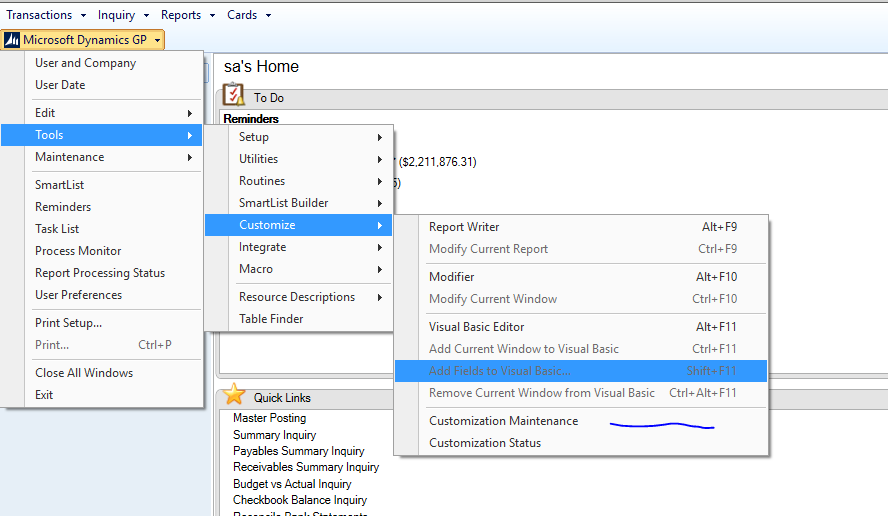
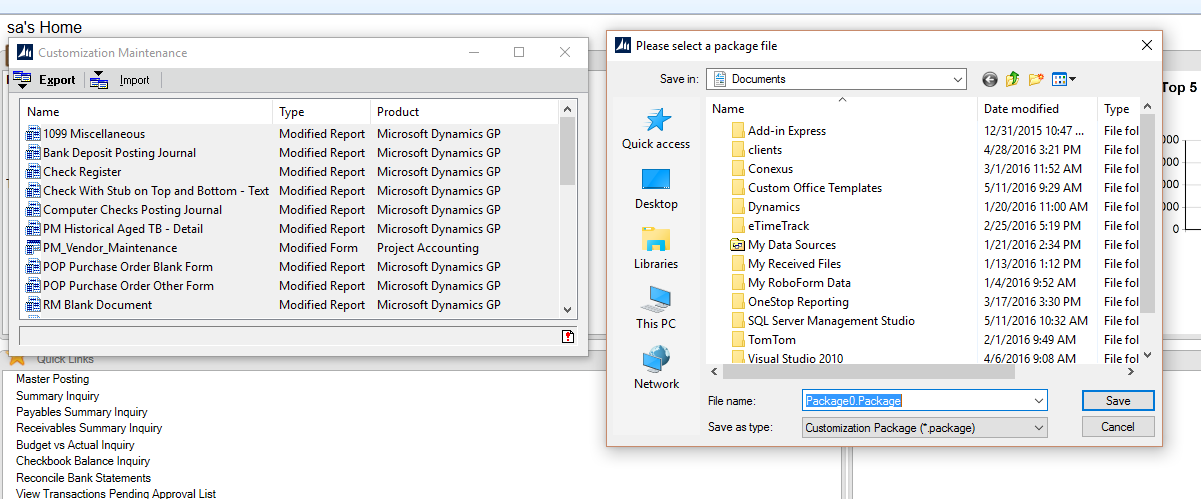
Before you start make sure there is a current SQL backup.  Then go to the customization maintenance window to backup your customized reports and forms.  The following screen shot shows you the menu to go to.  It will create a package file for later import into your new GP 2016 instance.

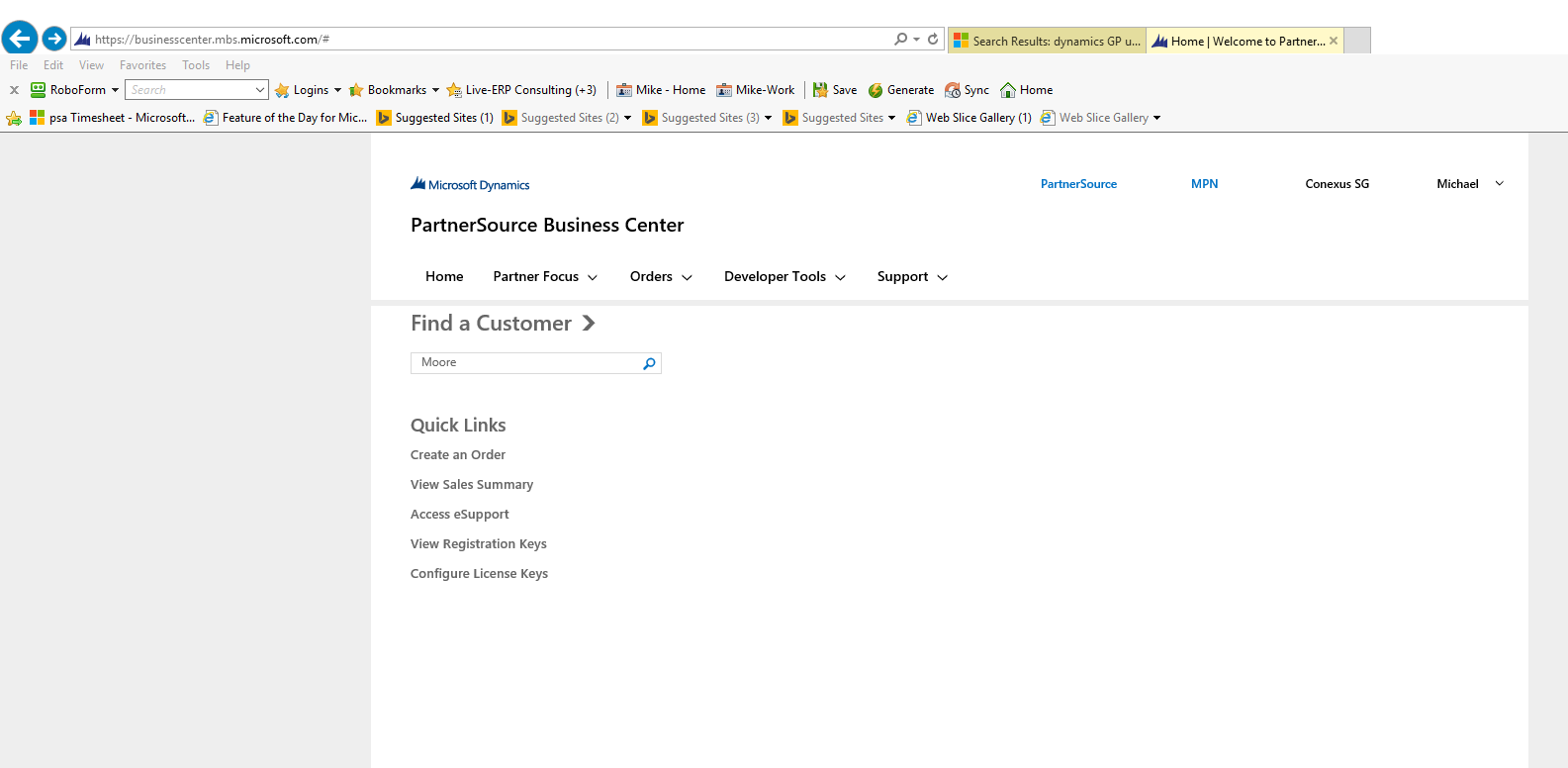
At this point I usually go out to Partnersource to get my clients registration keys.  When you go to partnersource up in the upper right corner you will see a link called, PartnerSource Business Center.  This will take you to the following screen so you can look up the customer to get their keys.

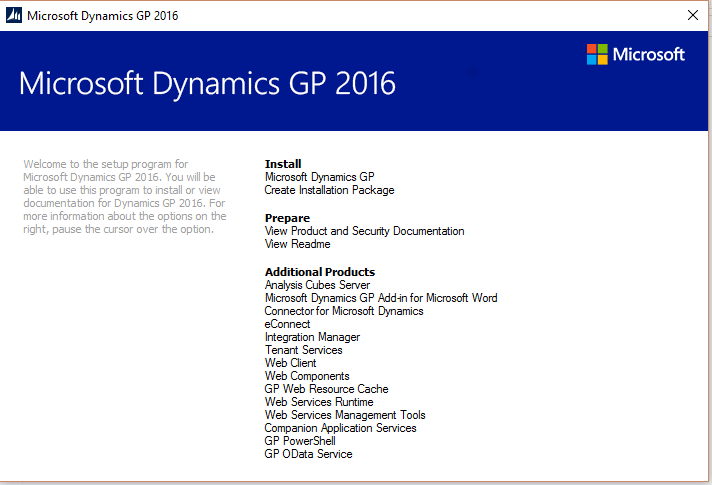
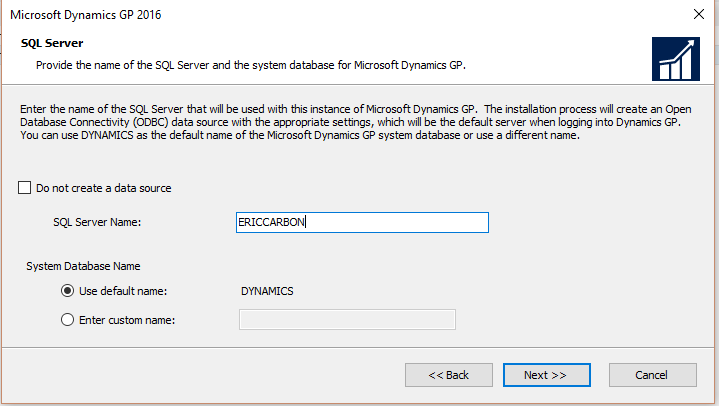
Now it’s time to start the installation of the software.  In the directory that GP 2016 was extracted in double click on the setup.exe file.  The following window will pop up for you to continue.  Click under the Install portion “Microsoft Dynamics GP”.  Follow the prompts accepting the defaults until you get to the SQL server screen selection.
On this screen you will select the existing SQL Server.  If this was a brand new install you can provide a system database name (DYNAMICS) or another name if using the multi-tenant functionality where you may want two instances of GP on the same SQL Server. Click next and let the wizard complete the install.  You will get a windows when complete and simply press exit.

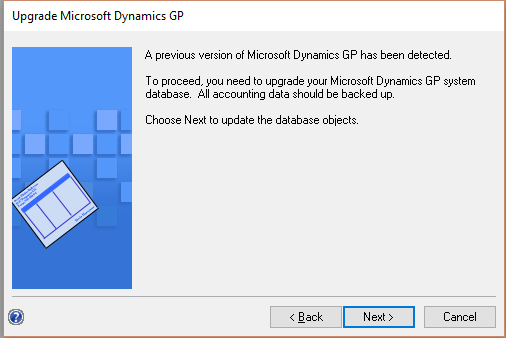
Now you will want to start up GP Utilities.  Login using the sa login and password.  This is the window you will get telling you that this is a new version and have to upgrade.
After the system updates the Dynamics database you will be presented with this screen showing all companies that need upgraded. Leave all the boxed checked and select next.  This will proceed to upgrade all the companies and may take some time depending on the number of databases and their respective size.  

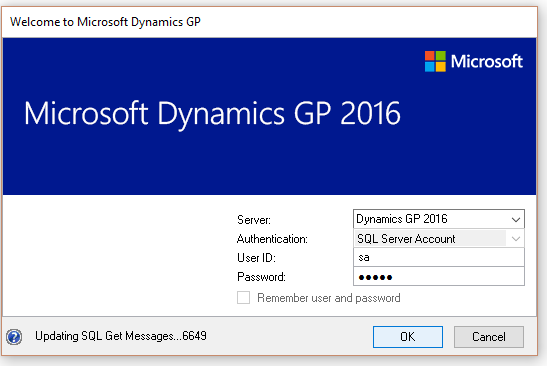
After this you can launch GP 2016.  The first time you login you will use see a message in the lower left “Updating SQL Get Messages”.  This happens on the first time launching GP on this workstation.
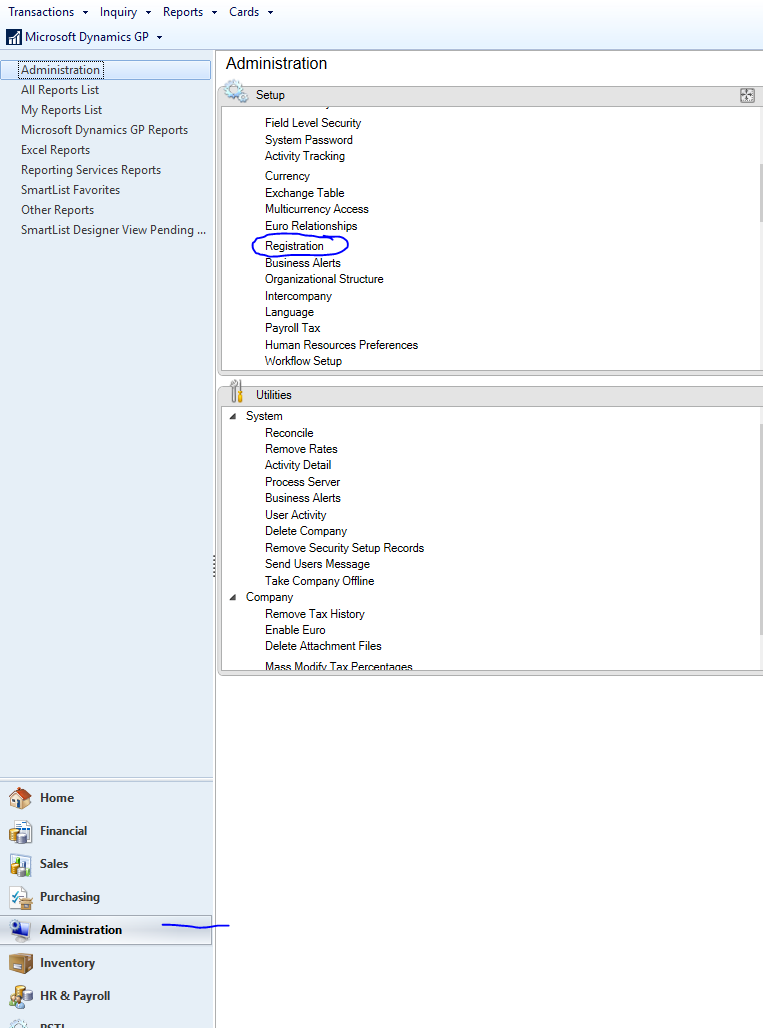
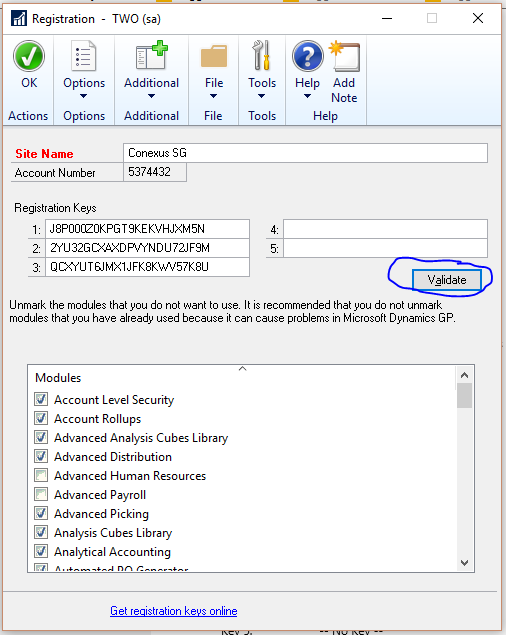
After starting up GP you should enter the new registration keys.  This is found under the Administration window.
Enter the keys that you found on Partnersource/Customersource. Click on the validation button to make sure you entered them properly and you will see the modules you are registered for checked.  Some may be unchecked if previously unmarked as you may not want the items used.


Finally you can import your customized forms and reports. As previously shown go to the Microsoft GP button and select tools – customize-customization maintenance.  Click on the import button.  Browse out to your package file location and select.  This will import all records in that file.  There is no option to pick and choose. Make note of where your reports.dic file is so that it may be shared with all other users.  You would edit the launch file (Dynamics.set) and point to the shared file.  

That completes the GP 2016 upgrade.  You can then proceed and repeat the steps to upgrade all workstations.